Friday, February 9, 2018

Personal Totem

to·tem
ˈtōdəm/
noun
  1. a natural object or animal believed by a particular society to have spiritual significance and adopted by it as an emblem.

Even though you started this project tracing Northwest Coast indigenous animal symbols, you are not to incorporate them into your own personal totem. We must be careful not to appropriate cultural symbols. However, please do consider how indigenous groups have simplified and symbolized the image of the animal and the cultural significance of the animals to them. You are welcome to be inspired by the indigenous symbols, but careful not to copy for your own.

For your personal totem, you are to select 3 or more animals that represent something about you and your family. Consider how the animal you select is meaningful to you (it doesn't have to be the native meaning, it should be your own- or a blend of two).
Simplify the lines and shapes to break it down to the most basic elements of that animal. Combine the three animals in a way so they work together symbolically and visually.

You can/should find examples of your animals to have visual reference. You may want to find examples from indigenous groups as inspiration, but not to copy. Draw your personal totem with Illustrator. You can use different types of line, colours, fill swatches. 


Thursday, February 8, 2018

Spirit Animal Work Period


Work on tracing your First Nations spirit animal today. 
  • Try to move one of your over lapping shapes to the bottom and on top:
  • Click on the shape with the SELECT tool/ black arrow from the tool bar (left side),
  • Select OBJECT from the top pop down menus
  • Arrange- front, backwards or to back…

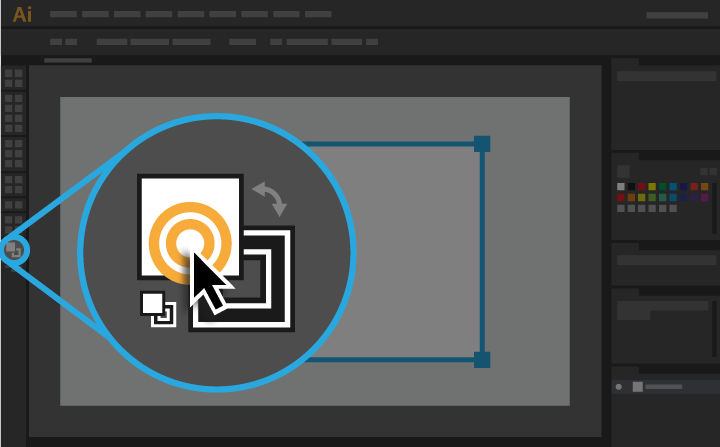
Try to add some colour today. Here is the fill (white square) and stroke (black square) colour selectors on your tool bar. If you click on it 1x, a colour picker window will appear. But you will need to click on the shape you want to colour first before you select your colour. You will notice the black box underneath the colour selector. That is the stroke colour selection tool. If you want the stroke to be a specific colour, you need to click on it so it appears over top of the fill colour box.


If you finish your drawing, you can start another one. One of your choice.

Post your progress to your blog.
To save your illustrator work:
  • First  FILE- SAVE AS your drawing as an Adobe Illustrator file ( "yourtitle.AI")
  • Then FILE- EXPORT -for Web & Devices
  • Save as a PNG or JPG.
  • Then up load it to your blog.  Click on the image icon and Browse for your image in your student folder. 
I want to see how you are doing.

Tuesday, November 28, 2017

10s Walking Cycle

The walk cycle is one of the most important learning concepts in animation--and also one of the most technically difficult, because it requires so much attention to the movement of opposing limbs.

However difficult, though, if you can learn to master a walk cycle then you can animate just about anything. There are many types of walk cycles, and you can vary the motion to match your character or his/her mood; you can do bouncy walks, shuffling walks, casual slouches. But the first and simplest is the standard upright walk, viewed from the side--and that's what we're going to attack in simplified form today.

You can cover the cycle of a full stride in 8 frames.


Here is a walking cycle Flash Tutorial.
Walking Cycle Tutorial


Here is a tutorial that criticizes the "Walking Cycle":
April Peter, Animator 
She has a good argument why the walking cycle is not the best way to learn.

April offers some advice:


  • Never stop thinking about who your character is.
  •  Each walk should be different to suite the weight, gait, strength, body type and attitude of the character. 
  • After you've finished the basic structure, you don't have to keep the keys of all the transformations on the same frames. Each separate rotation or translation can have a different timing.
  • Don't obsess about ending up with identical graphs for each step. Achieving perfect mathematics and achieving a good animation usually aren't the same thing.
  • In fact, try to dirty the walk up. For example, place the feet in a slightly different place every time. Play with the rotations of the torso, head or arms.
  • Friday, November 3, 2017

    Term 1 Self-Evaluation

    1/2 Way Check Point
    • What have you learned in Computer Arts?
    • What are you proud of/ what are your strengths?
    • What have you struggled with? 
    • What do you do to overcome challenges?
    • What mark do you think you deserve? Explain why.
    • How could you improve? 
    • What goals do you have/ what do you want to learn in Term 2?
    • What do you want to do for your self-directed assignment? Post some visual examples.

    Tuesday, October 10, 2017

    Finding Images

    Royalty-free, or RF, refers to the right to use copyright material or intellectual property without the need to pay royalties or license fees for each use or per volume sold, or some time period of use or sales.

    The "free" in royalty-free does not mean there is no cost for the license, but instead refers to being able to freely use the image without paying additional royalties. A small-business owner, for example, may opt to pay a one-time fee for RF images for his website.

    Please use images that have given consent for the general public to use. Here are two sites that have royalty free images for you to use:
     
    https://pixabay.com/
    https://www.pexels.com/